What is a cover sheet?
A fax cover sheet is the first page of a fax. It tells the recipient who the fax is from, who it is for, and what it is about. Much like the front of an envelope.
A typical cover sheet includes the sender's name, the recipient's name, a subject line, the number of pages, and a short message.
Why do you need one?
When a fax arrives at an office, several people may share the same fax machine. A cover sheet helps staff identify who the fax is for and route it to the right person or department.
Cover sheets are especially important when sending faxes to:
- Government offices and public agencies
- Hospitals, clinics, and medical offices
- Courts and legal departments
- Insurance companies
- Large companies with shared fax lines
Without a cover sheet, your fax may be delayed or delivered to the wrong person.
What goes on a cover sheet?
A standard fax cover sheet typically includes:
- Sender information: your name, company, phone number, and email
- Recipient information: the recipient's name and company
- Subject: a brief description of what the fax is about
- Message: a short note or instructions (optional)
- Urgency: normal, urgent, or confidential
- Page count: so the recipient knows if any pages are missing
All fields are optional. Fill in only what you need.
Do faxes need a cover sheet?
Not always. A fax goes through fine without one, and a quick fax to someone who is expecting it can skip it. But many organizations ask for a cover sheet, and a fax that arrives without one can sit in a shared tray or reach the wrong desk.
Government agencies, hospitals, courts, banks, and insurers usually expect one, and some require specific details such as a reference number or department name. Check the recipient's instructions before you send.
When in doubt, add one. It makes your fax look professional, helps it reach the right person, and on unofax it is free.
How unofax makes it easy
unofax includes a built-in cover sheet that you can add to any fax, for free. When you send a fax, simply tick "Add cover sheet" and fill in the details you need:
- Sender: name, company, phone, fax, and email
- Recipient: name and company
- Subject and message
- Urgency level (normal, urgent, confidential, or for review)
All fields are optional. Fill in only what you need. The cover sheet is added as the first page of your fax automatically. The date, recipient fax number, and page count are filled in for you.
The cover sheet is always free, regardless of the destination country.
Download the fax cover sheet template as a PDF
Prefer a file over filling in online? Download the fillable PDF template and type directly into the fields on your computer (Acrobat Reader, Preview on Mac, or any modern browser). Then save, print, or send it as an email attachment.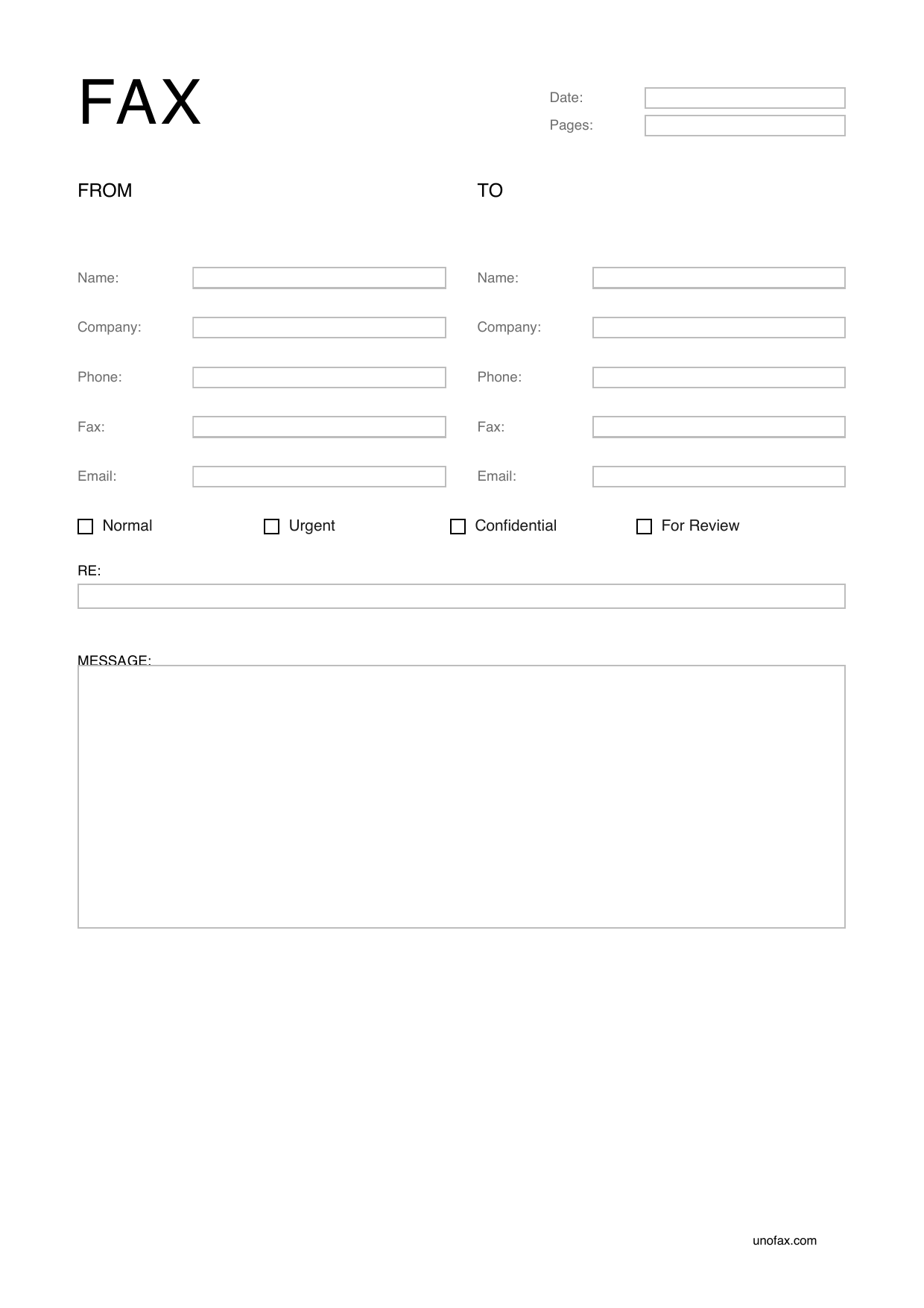
The template is available in 14 languages. Field labels, urgency levels, and headings are already translated:
- English (International): fax-cover-sheet-en.pdf
- English (US): fax-cover-sheet-en-us.pdf
- German: fax-cover-sheet-de.pdf
- French: fax-cover-sheet-fr.pdf
- Spanish: fax-cover-sheet-es.pdf
- Italian: fax-cover-sheet-it.pdf
- Dutch: fax-cover-sheet-nl.pdf
- Swedish: fax-cover-sheet-sv.pdf
- Japanese (日本語): fax-cover-sheet-ja.pdf
- Korean (한국어): fax-cover-sheet-ko.pdf
- Chinese, simplified (简体): fax-cover-sheet-zh-cn.pdf
- Chinese, traditional (繁體): fax-cover-sheet-zh-tw.pdf
- Turkish: fax-cover-sheet-tr.pdf
- Hebrew: fax-cover-sheet-he.pdf
All templates are free, privacy-friendly (no trackers, no login), and in A4 format.
Ready to send a fax?
Just upload and send — flat rate $0.39 AUD/page to 45+ countries. Free cover sheet, no sign-up needed.
Send a Fax